RuyiSDK Examples and Board Documentation
If you are new to RISC-V or RuyiSDK, or want to try a board quickly, use RuyiSDK Examples to find setup guides, sample projects, and tutorials on multimedia and AI. You can open them in Copilot to automate parts of the workflow.
1. Open RuyiSDK Examples
Run ruyi.board-docs from the VS Code Command Palette or open RuyiSDK Examples from the extension home page. This feature requires an internet connection.
2. Browse Board Examples
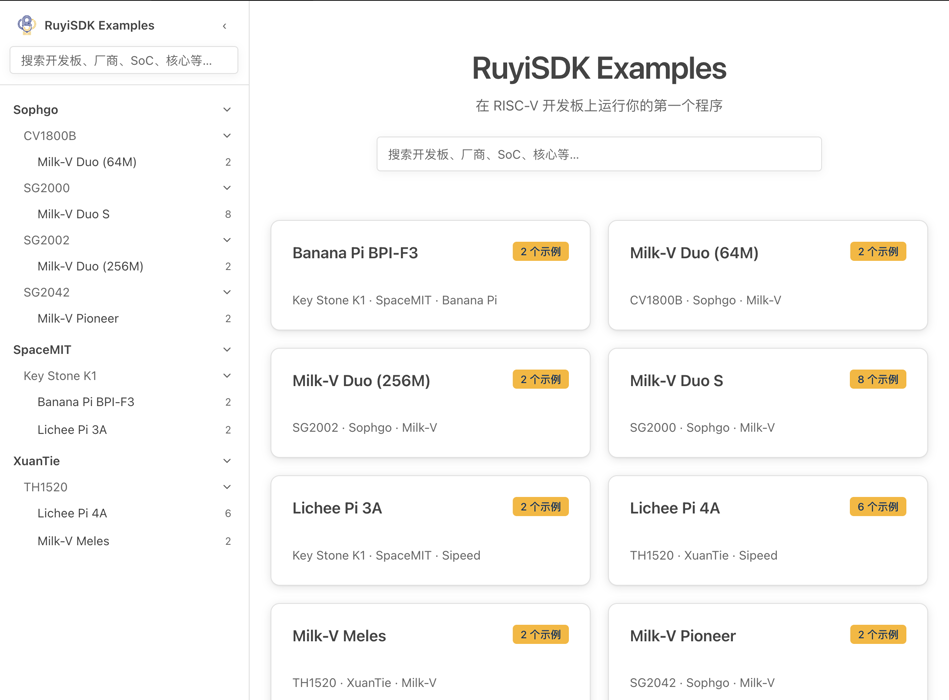
Choose a board by brand and model. The board page shows an overview and a list of available examples.
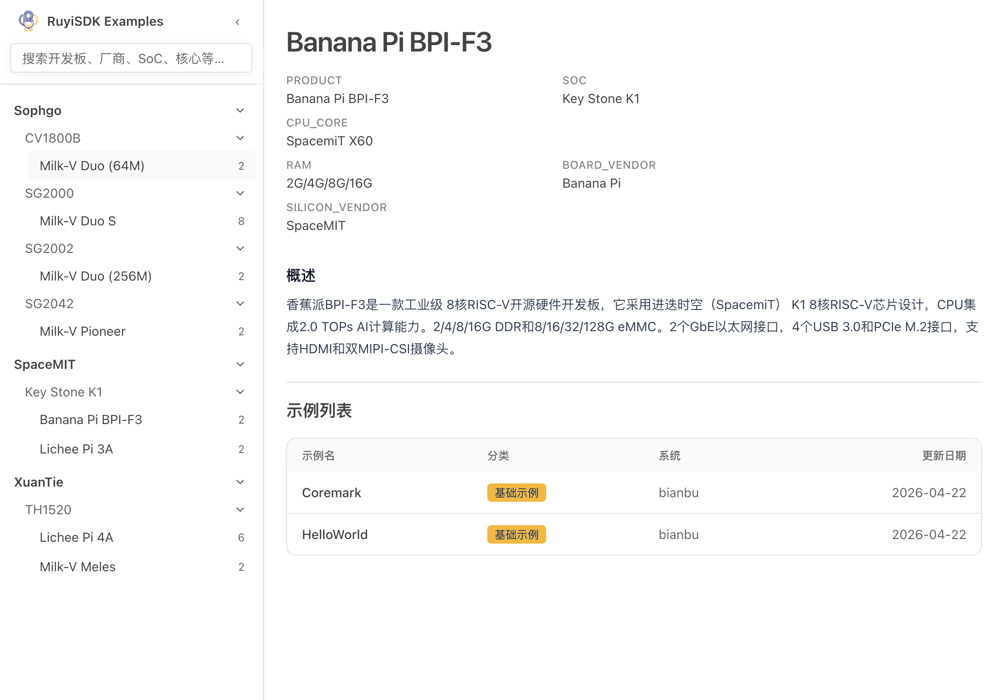
Select an example to learn how to run it on the board or perform other tasks, such as processing multimedia or training and running AI models.
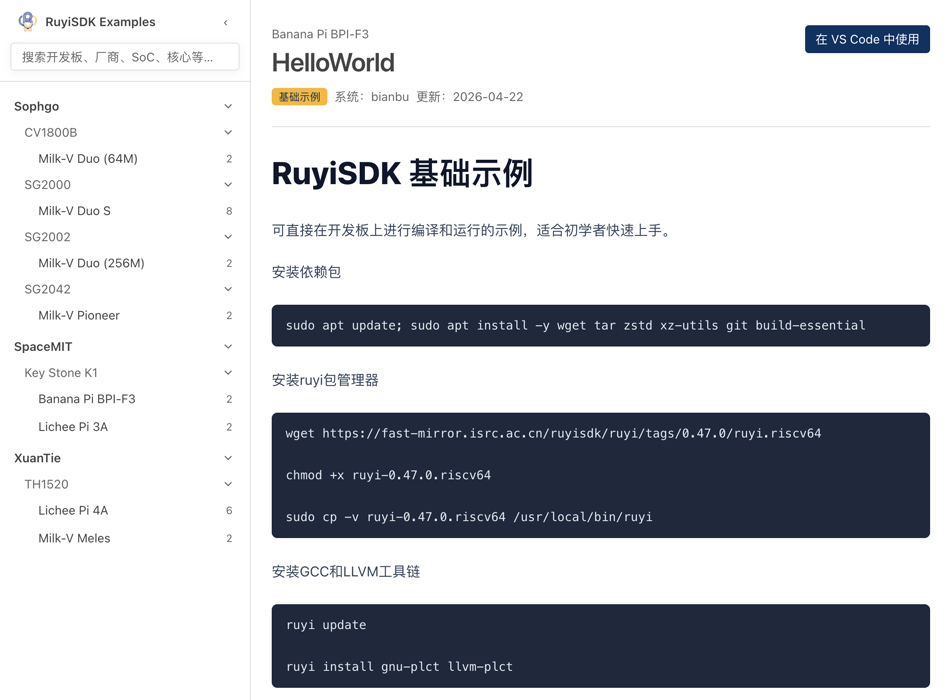
Select Open in VS Code in the upper-right corner to send the document and its prompt to Copilot Chat.